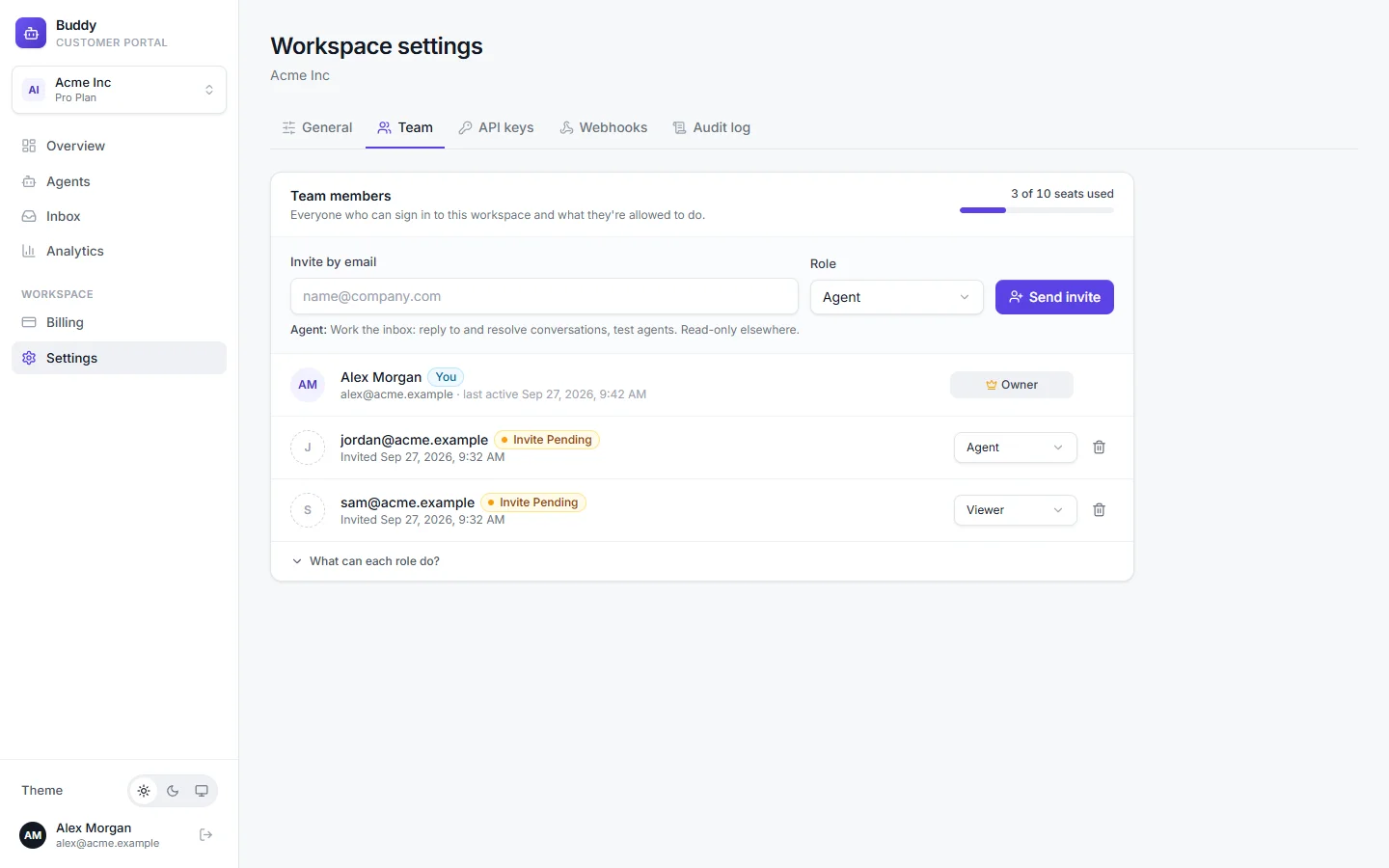
Invite your teammates so they can work the inbox, improve answers and configure agents. Each person gets one of four roles. In this example, Alex Morgan (owner) invites Jordan to handle conversations and Sam to follow the numbers.
Roles
- Owner
- Full access, including billing and plan changes. Every workspace has exactly one owner: the person who created it.
- Admin
- Manages agents, knowledge, integrations, team members, API keys and settings.
- Agent
- Works the inbox: replies to and resolves conversations, and tests agents in the playground. Read-only elsewhere.
- Viewer
- Read-only access to agents, conversations and analytics.
| Owner | Admin | Agent | Viewer | |
|---|---|---|---|---|
| View agents, conversations and analytics | ||||
| Reply to and resolve conversations, use the playground | ||||
| Suggest answers for review | ||||
| Approve answers in the answer bank | ||||
| Create and configure agents, knowledge and integrations | ||||
| Connect mailboxes | ||||
| Invite members, manage API keys and webhooks, view the audit log | ||||
| Workspace settings and privacy requests | ||||
| Change the plan and billing details |
Invite a teammate
Go to Settings → Team
Enter their email under Invite by email
For example
[email protected].Pick a Role and click Send invite
Choose Admin, Agent (default) or Viewer. The new member appears with an Invite pending badge until they first sign in.
Change a role or remove someone
Pick a new role from the dropdown next to the member. To remove someone, click the trash icon and confirm with Remove member. They lose access to this workspace straight away.
- You can't change your own role or remove yourself.
- Only the owner can change or remove an admin.
- The owner role can't be transferred from the dashboard. Contact support if you need to transfer ownership.
Seats per plan
| Free | Starter | Growth | Pro | |
|---|---|---|---|---|
| Team members | 1 | 1 | 3 | 10 |
The Team tab shows how many seats you've used. When they're all taken, upgrade or remove someone to invite more. See Billing and plans.
Troubleshooting
›"Team member limit reached for your plan"
Every seat is in use, including pending invites. Remove a member or upgrade.
›A teammate can't reply to conversations
They're probably a Viewer. Change their role to Agent.