Buddy gives your business an AI support agent. You train it on your website, documents and answers, it chats with visitors on your site, and it can draft replies in Gmail or Outlook. This guide covers your account and the dashboard. By the end you'll be ready to create your first agent.
Create your account
Every new workspace starts with a 14-day trial of the Growth plan. You don't need a credit card.
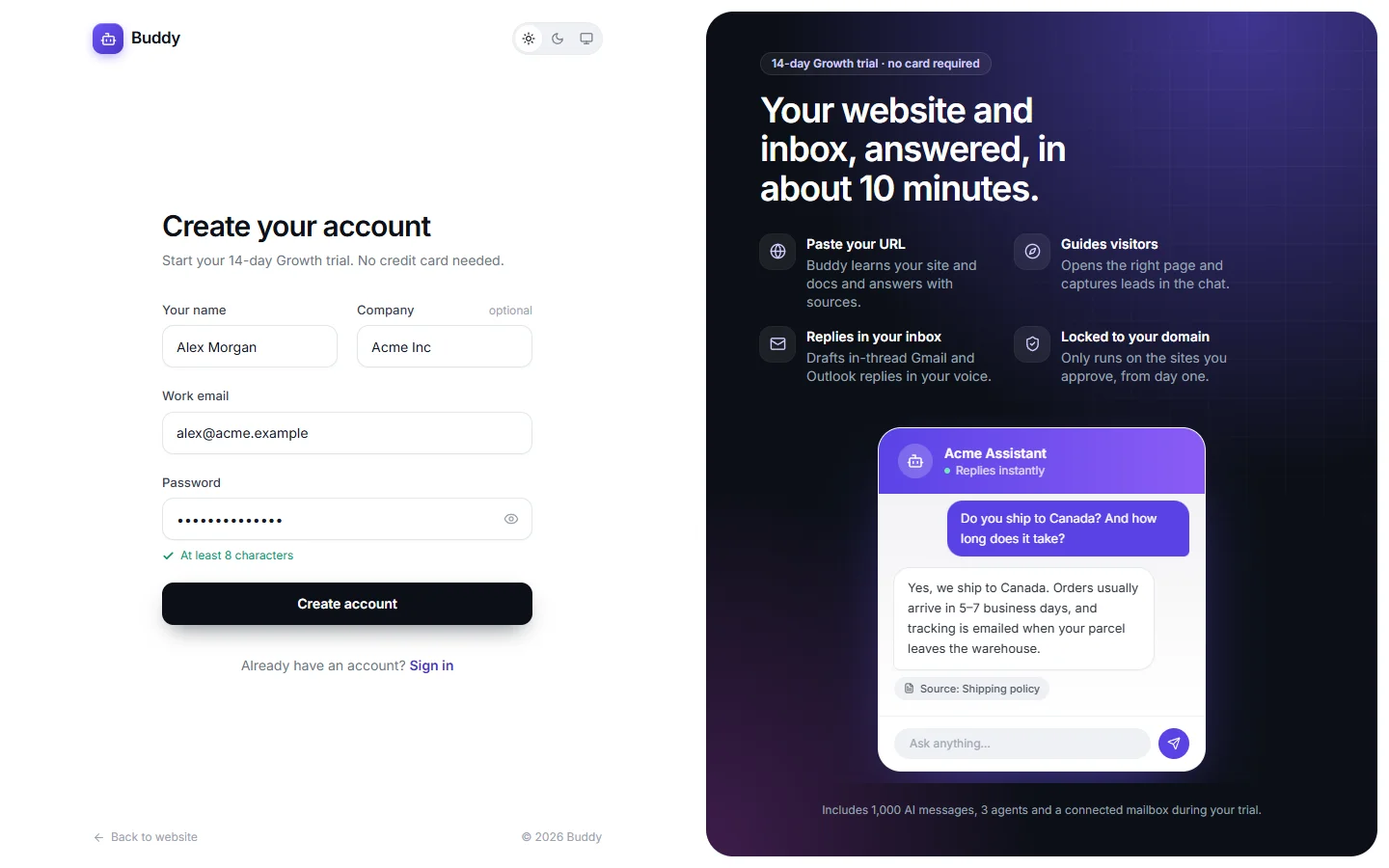
Open the sign-up page and fill in your details
Go to Start free trial and enter Your name, Company (optional), Work email and a Password of at least 8 characters.
Click Create account
Buddy creates your workspace and names it after your company, for example Acme Inc. If you leave Company empty, the workspace is called “Alex Morgan's workspace”.
Create your first agent
You land straight on Create an agent. Continue with Create your first agent, or open the rest of the dashboard from the sidebar.
Sign in
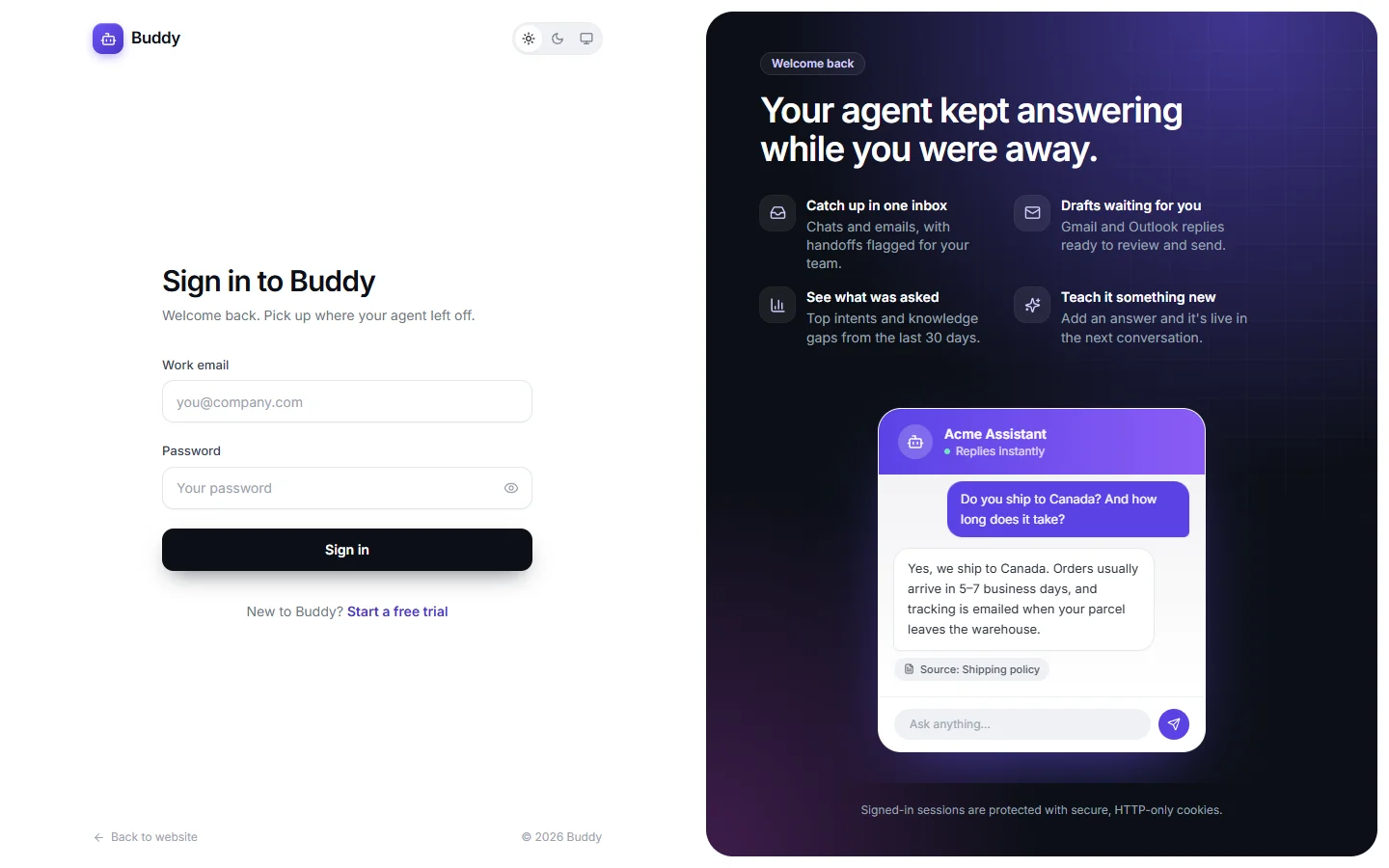
Go to Sign in, enter your Work email and Password, and click Sign in. Your session is kept in a secure, HTTP-only cookie. To sign out, click the sign-out icon next to your name at the bottom of the sidebar.
A tour of the dashboard
The sidebar on the left takes you to every part of Buddy:
- Overview
- A 30-day summary: messages used, conversations, deflection rate, answer confidence, your agents and open knowledge gaps.
- Agents
- Create agents and configure everything about them: knowledge, persona, appearance, navigation, integrations, security and embedding.
- Inbox
- Read every chat and email conversation, reply as a human, and see contact-form submissions.
- Analytics
- Performance over time, recent questions, knowledge gaps and how your connected APIs behave.
- Billing
- Your plan, trial end date, message usage and plan changes.
- Settings
- Workspace details, team members, API keys, webhooks and the audit log.
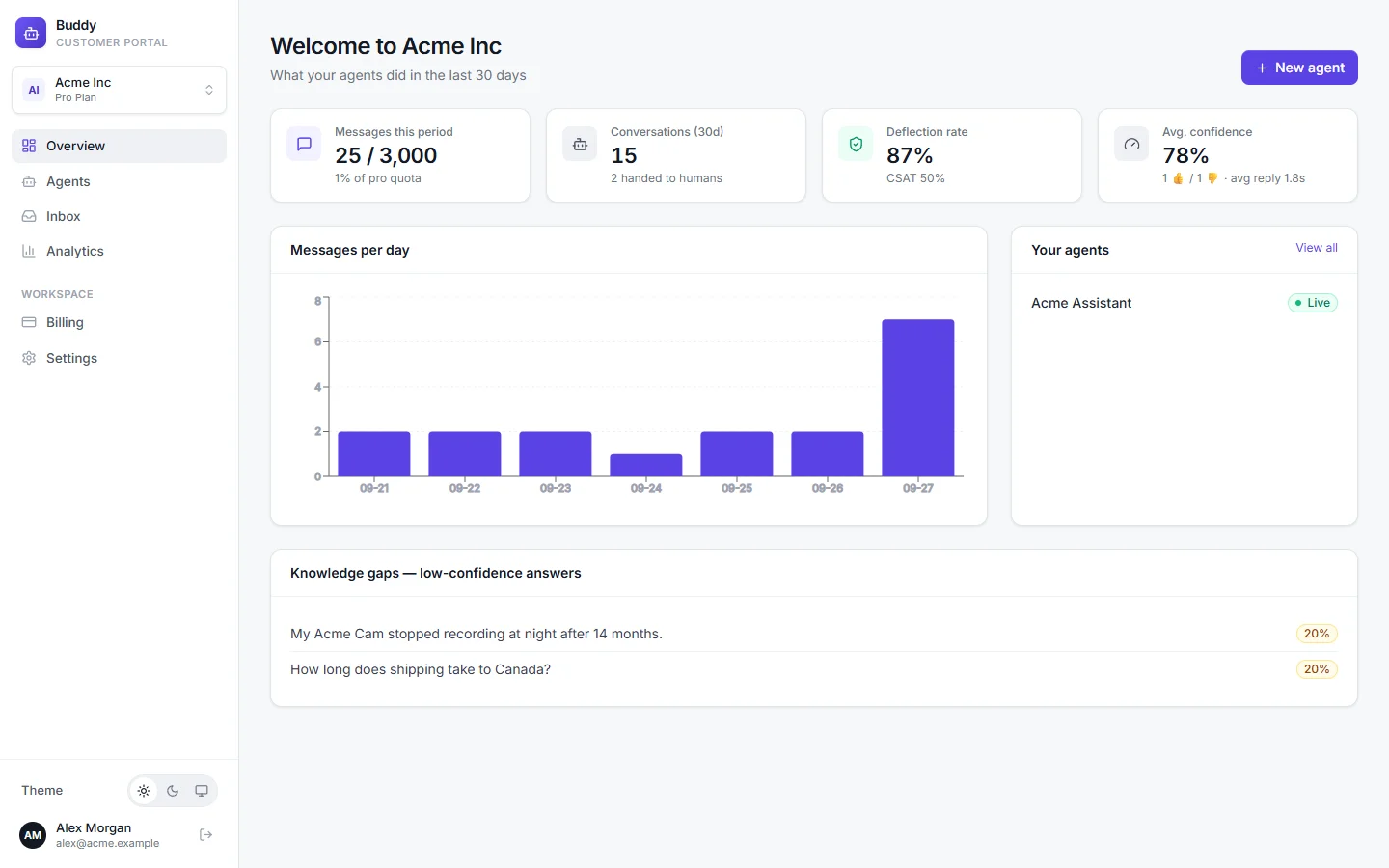
The Overview page has four stat cards:
- Messages this period: AI messages used against your plan's monthly quota. Chat and email replies both count.
- Conversations (30d): new conversations, and how many were handed to humans.
- Deflection rate: the share of conversations the AI handled without a person. CSAT is shown underneath.
- Avg. confidence: how sure the AI was in its answers, with thumbs up and down counts and the average reply time.
Below the cards you'll find Messages per day, Your agents and, when there are any, Knowledge gaps — low-confidence answers. While you're on the trial, a banner shows the date it ends.
Switch between workspaces
A workspace holds your agents, conversations, team and plan. If you belong to more than one workspace, for example your own and a client's, use the workspace card at the top of the sidebar. It shows the workspace name and plan. Pick another workspace from the list to switch. Everything in the dashboard then shows that workspace's data.
Light and dark theme
Use the Theme switch at the bottom of the sidebar to choose Light, Dark or System. System follows your computer's setting. The same switch appears in the header and footer of this website. Your choice is remembered in this browser.
The theme only changes the dashboard. How the chat widget looks to your visitors is set per agent. See Widget appearance.
When your trial ends
After 14 days, a workspace without a paid plan moves to the Free plan. Your agents, knowledge and conversations are kept, but Free limits apply from then on, for example 30 AI messages a month and no mailbox replies. To keep Growth features, choose a plan on the Billing page before the trial ends. See Billing and plans.
Next steps
- Create your first agent from your website address.
- Add knowledge such as PDFs, policies and Q&A pairs.
- Test it in the playground.
- Add it to your website.