Documentation
Set up and run your Buddy agent
Buddy is an AI support agent that learns from your website, documents and past emails. It answers visitors on your site with sources, takes them to the right page, captures leads, hands off to your team, and drafts replies in Gmail and Outlook. These guides walk you through every screen of the dashboard.
Quick start
Most teams go from sign-up to a live widget in one sitting. Follow these five guides in order.
- 1Create accountSign up and start a 14-day Growth trial. No card needed.
- 2Create agentPaste your website address and pick a template.
- 3Add knowledgeAdd files, text and Q&A pairs to what the crawl found.
- 4TestAsk real questions in the playground and check the sources.
- 5EmbedPublish, then paste one script tag into your site.
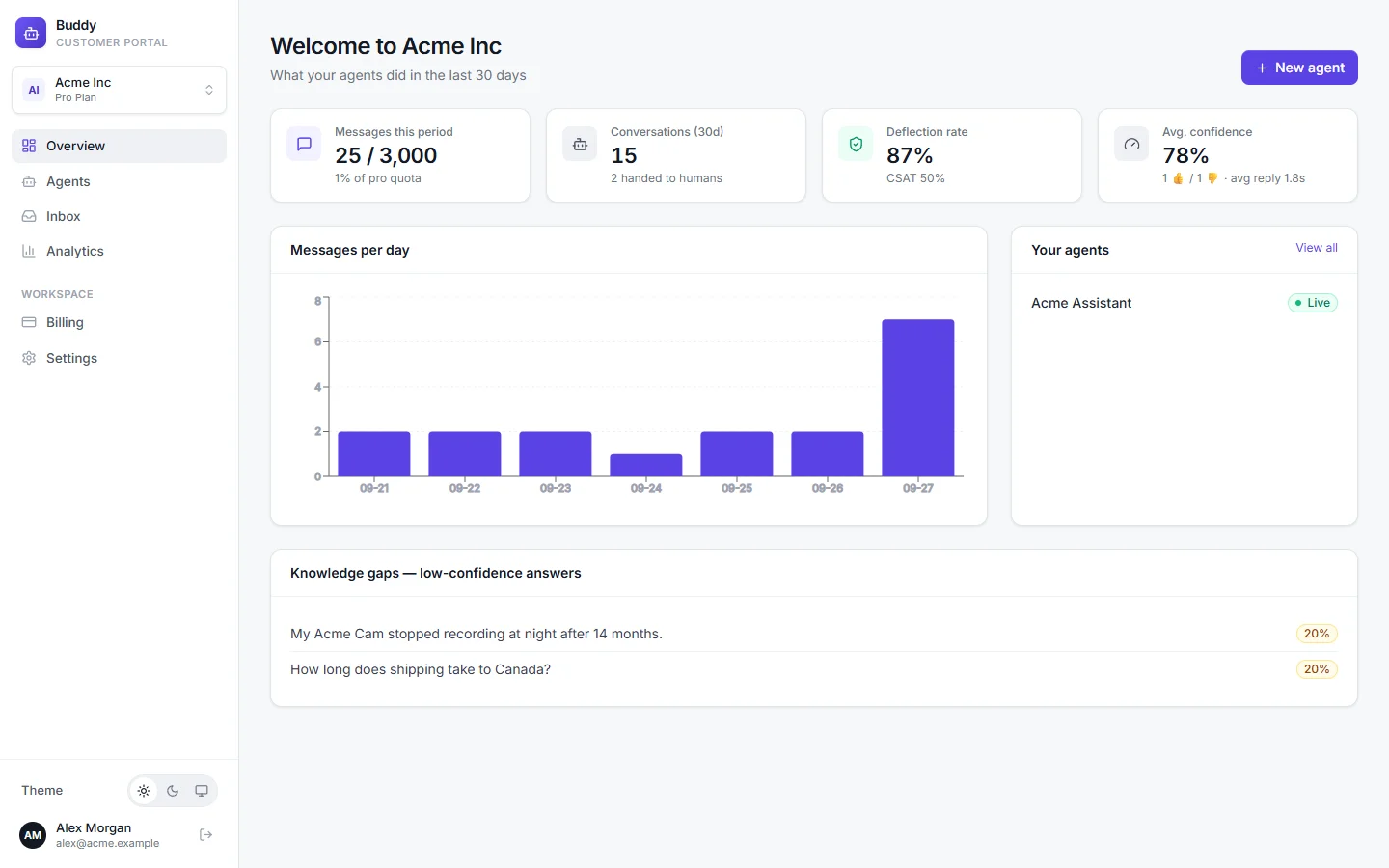
Get started
Train your agent
Add knowledgeTeach your agent with a website crawl, single pages, files, text and Q&A pairs, and keep it up to date.Answer bank and knowledge gapsReview suggested answers, fill knowledge gaps and correct replies so your agent improves every week.Persona, rules and AI modelSet instructions, tone, guardrails, conversation starters, languages and the AI model your agent uses.
Customize
Widget appearanceMatch the chat widget to your brand: colours, launcher, avatar, welcome message and more.Page navigationLet your agent take visitors to the right page, including on single-page apps, without a reload.API actionsConnect your own APIs, such as order status lookups, so your agent can answer with live data.Contact form and handoffCapture leads inside the chat, offer a human, and get alerted by email, Slack or webhook.
Launch
Operate
Inbox and human takeoverFollow every conversation, take over from the AI, reply to visitors live and resolve threads.Gmail and Outlook repliesConnect a mailbox so Buddy drafts, and optionally sends, replies in your own inbox.AnalyticsUnderstand what customers ask, how well your agent answers, and where your content has gaps.
Security & admin
Security and privacyLock your agent to your domains, verify visitors, stop abuse, redact personal data and handle privacy requests.Team and rolesInvite teammates and give each person the right level of access.API keys and webhooksCreate scoped API keys and receive signed webhook events in your own systems.Billing and plansCompare plans, follow your usage, and understand the trial, limits and overage.
Building an integration?
The REST API reference covers authentication, scopes, every endpoint and webhook payloads.