Your agent answers from its knowledge base, the content you give it. Good knowledge is the single biggest factor in good answers. Everything on this page happens on the agent's Knowledge tab.
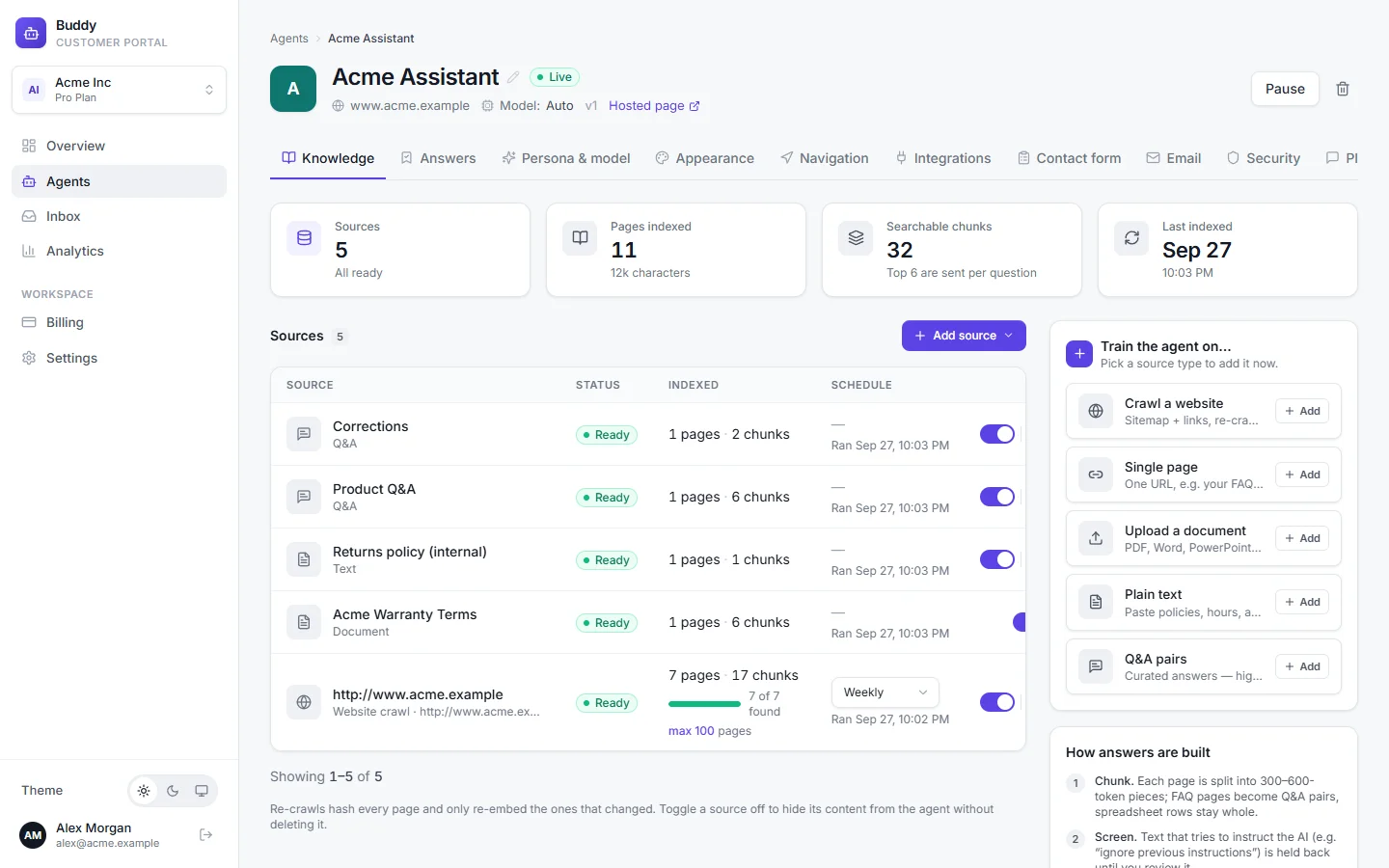
Source types
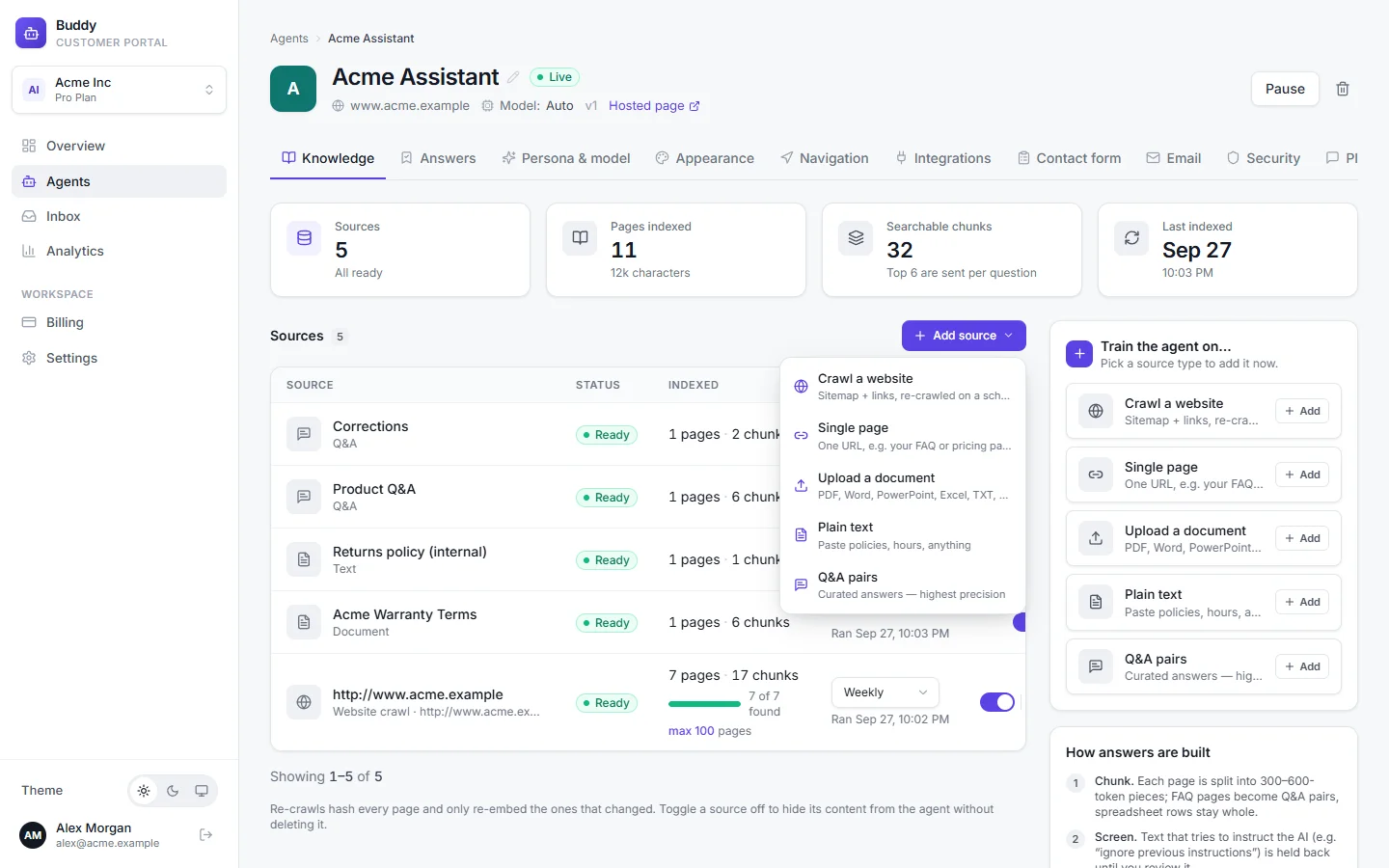
Click Add source and choose a type:
- Crawl a website
- Your whole site or help centre. Buddy reads your sitemap, follows links and re-crawls on a schedule.
- Single page
- One URL, such as your FAQ or pricing page.
- Upload a document
- PDF, Word, PowerPoint, Excel, TXT, Markdown, CSV or HTML files, such as a product manual.
- Plain text
- Anything that isn't online: policies, opening hours, internal notes you want customers to know.
- Q&A pairs
- Exact answers to specific questions. This is the most precise source type.
Fill in the dialog and click Add & index. New content is searchable as soon as its status changes to ready.
Crawl a website
Choose Add source → Crawl a website
Enter the start URL
For example
https://www.acme.example. To crawl only a section, start there, for example your help centre.Set Max pages
The default is 100. The crawl never goes beyond your plan's page limit, shared across all your sources.
Click Add & index
The status moves from
pendingtoprocessingtoready. Large sites can take a few minutes.
What the crawler does
- Reads
/sitemap.xml(including nested sitemaps), then follows links on the same domain, up to four links deep. - Respects your
robots.txt. - Skips pages that aren't useful to customers, such as cart, checkout, login, sign-up, account and admin pages, and files that aren't web pages.
- Handles JavaScript-heavy sites. If a page shows almost no text without JavaScript, Buddy renders it in a headless browser first. Those pages are marked JS-rendered.
- Adds the pages it finds to your agent's site map, so it can take visitors there. See Page navigation.
Coverage and page caps
Each crawl shows how many pages were fetched out of how many were found, for example “85 of 120 found — capped”. If a crawl stopped at its cap, raise max on the source row and re-run it. You'll see a note when your plan's page or character limit stopped some content from being indexed.
Keep knowledge up to date
Website and single-page sources have a Schedule: Manual, Weekly or Daily. New website sources are re-crawled weekly by default. To refresh a source right away, click Re-index now on its row. For example, do this after you publish a new Acme Lock support article.
Re-crawls are efficient: Buddy fingerprints every page and only re-processes the pages that changed. Pages that disappeared from your site are removed from the knowledge base.
To refresh an uploaded file, delete the source and upload the new version.
Upload documents
Choose Upload a document. Accepted file types:
.pdf .docx .pptx .xlsx .txt .md .csv .html .htm, up to 25 MB per file.
- Slides are indexed together with their speaker notes.
- Spreadsheets and CSV files: each row becomes one searchable record, with the first row used as column headers. This works well for price lists or a table of Acme Home Hub compatible devices.
- Scanned PDFs without a text layer can't be read yet, because there is no OCR. Upload a text-based PDF or paste the text as a Plain text source instead.
- Older formats such as
.docand.pptaren't supported. Save them as.docxor.pptxfirst.
Plain text and Q&A pairs
Plain text takes a Text field and an optional Name. Q&A pairs takes any number of pairs in the Pairs field, written as Q: / A: blocks separated by a blank line:
Q: Does Acme Cam work without Wi-Fi?
A: Acme Cam records to its microSD card when Wi-Fi is down and uploads the clips once it reconnects.

Q: How long is the Acme Lock warranty?
A: Acme Lock has a 2-year limited warranty from the date of purchase.
See what the agent knows
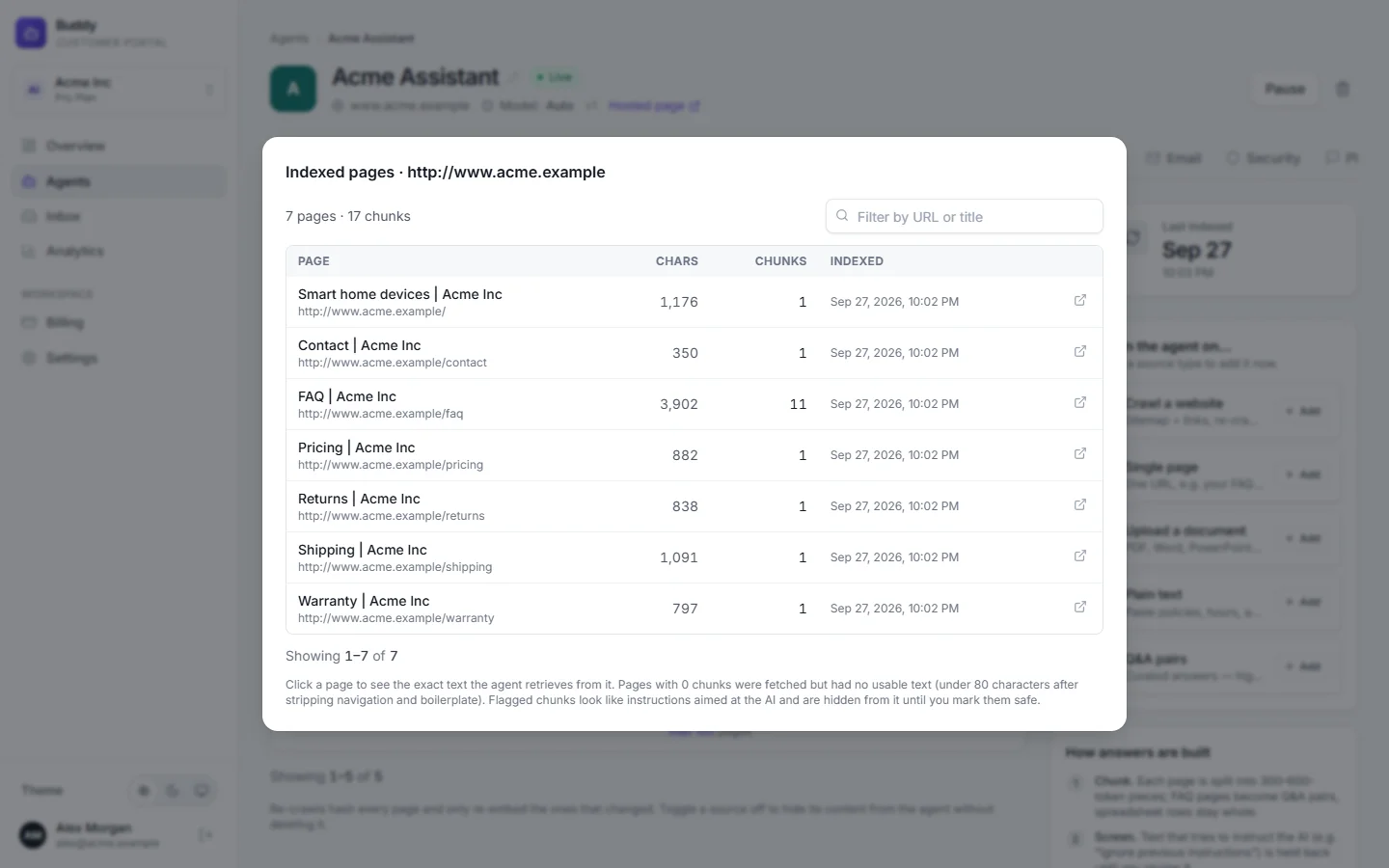
Click View indexed pages on any source to see every page it contains, how many characters and chunks each one has, and when it was indexed. Click a page to see the exact passages (chunks) the agent retrieves from it. Only the most relevant chunks are sent with each question.
A page with 0 chunks was fetched but had almost no usable text after navigation and boilerplate were removed, so the agent can't answer from it.
Turn sources on and off
Use the switch on a source's row to hide its content from the agent without deleting it, for example a seasonal promotion. Turn it back on to restore it. To remove a source and its content for good, use Delete source.
Answers you approve in the answer bank are stored in a special Corrections source. It's managed from the Answers tab, and the agent prefers it when two sources are equally relevant. See Answer bank and knowledge gaps.
Content flagged as prompt injection
Buddy checks every chunk it indexes for text that looks like instructions aimed at an AI. Examples are “ignore your previous instructions”, role hijacks, jailbreak phrases, hidden Unicode characters or instructions hidden in encoded text. Such text could make your agent misbehave, so flagged chunks are hidden from the agent automatically.
Look for flagged for review on a source row, or the warning at the top of the tab
Open View indexed pages and find the chunks marked Flagged
Each one shows the reason it was flagged.
If the text is harmless, click Mark safe & enable
The agent can use it again, and the same text won't be flagged on future re-crawls. Changed your mind? Click Hide again. Every review is recorded in the audit log.
Plan limits
Pages, files and indexed characters are counted across all sources in your workspace.
| Free | Starter | Growth | Pro | |
|---|---|---|---|---|
| Website pages | 20 | 100 | 500 | 3,000 |
| Files | 3 | 10 | 50 | 500 |
| Characters indexed | 300K | 2M | 10M | 50M |
| Re-crawl | Manual | Weekly | Daily | Daily |
When you hit a limit, the dashboard tells you which one, for example “File limit reached: your plan allows 10 files. Delete a file or upgrade.” Remove sources you no longer need, or upgrade your plan.
Troubleshooting
›A source shows the status error
The reason is shown under the source name. Common causes: the site blocks crawlers in robots.txt, the URL needs a login, a PDF is scanned, or a plan limit was reached.
›The crawl found fewer pages than my site has
Check whether the source says capped and raise max on the row, then re-run it. Make sure the pages are linked from your site or listed in your sitemap. Pages behind a login and pages that robots.txt blocks aren't crawled.
›The agent gives an outdated answer
Click Re-index now on the source, or set its schedule to Weekly or Daily. For a fact that must always be exact, add a Q&A pair or an approved answer.
›The agent says it doesn't know, but the answer is on my site
Open View indexed pages and check the page is there with chunks. If it has 0 chunks, the content probably isn't in the page text (for example it's in an image). Add it as plain text or a Q&A pair. Then test in the playground and look at the retrieved sources.